Sunday, 27 November 2022

Sync local Music files with my Android phone's Music

I like to keep my local music synchronised with my phone so I can just play Bluetooth music in my car without needing the Internet or paying Spotify to listen to music I already have.

I also keep this music synchronised with NAS but that is another topic already covered in an earlier blog. That is done using Rsync which is easy but under Windows and Android, it's not so easily done.

For Windows I use Filezilla and for Android, I use SFTP Server.

Install SFTP Server on Android.

Connect your phone in "file transfer" mode or use WiFi.

Open SFTP Server. Get the local IP being used from the phone's Settings. This likely starts 192 or 10.

Set Password to something. Username can be anything like anonymous.

Install Filezilla on Windows.

Open Filezilla

Under Edit update the Settings how you would like, paying special attention to the Transfers section.

Enter: 

  • Host: "sftp://<Phone IP number>",
  • Username: anonymous,
  • Password: <whatever you set up>
  • Port: 6789.

Click the Quickconnect button

Note: You may want to filter out files you don't want to transfer like images.
If so, open View->Directory Listing Filters and add a filter like the following:


The 2 panes update shows the local and remote file systems.

Now you can drag and drop from one file system to the other. 
You can also set the default action should an existing file be found.
This is done under Transfer->Default file exists action

I set Uploads to Skip file

When finished, turn off file transfer mode on Android and stop the SSH server software.



Tuesday, 25 October 2022

How to install a PKG or DMG file stuck verifying on a Mac

I have recently been forced to use a Mac as part of my new job.
What a ride! It is comforting to see Linux's commands work in the Mac terminal. This is of course because iOS is basd opn Linux thogh moist have no clue.
As my IT experience is in Windows, DOS, Linux and Android, I am having to learn new tricks.
I will document the tricks here to help others and also myself when I need to do the same thinbg again in the future.

I have discovered that to install a program you typically download a .DMG file and double-click that.
This will then expose a .PKG file to double-click and install the program.
Sometimes you may download a .PKG file directly and run that.
iOS will then verify the .PKG for any corruption. This can get stuck though, meaning the progress bar stops progressing and you can't install.
It is possible to bypass this verification process to install the program. I had to do this with GlobalProtect which is my employer's VPN.


  1. From the Finder in Mac OS X, hit Command + Shift + G and enter the following path:
  2. /System/Library/CoreServices/

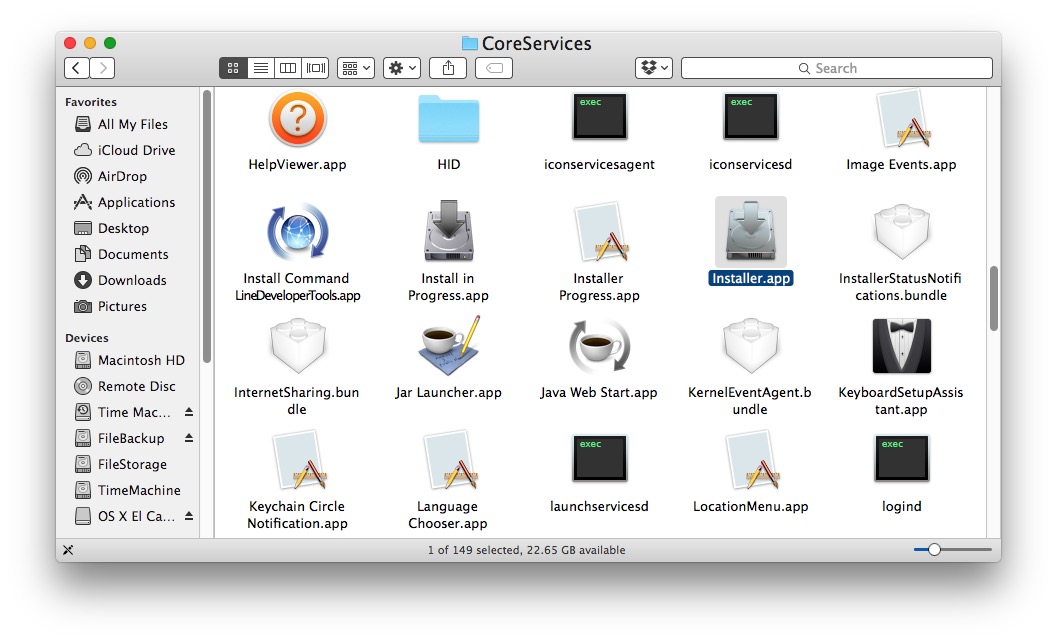
  3. Locate the app named “Installer.app” from this directory and launch it directly
  4. Go to CoreServices folder and open Installer app

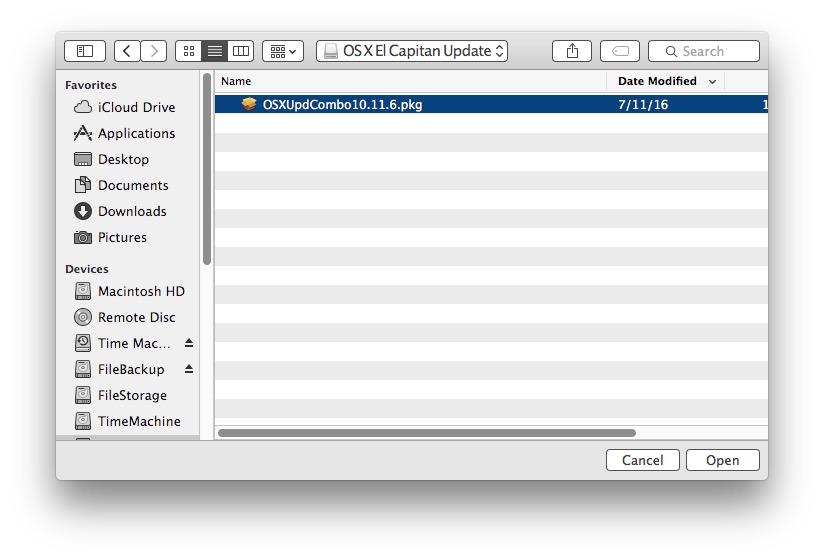
  5. Navigate to the .pkg file that is stuck on verifying and select to open it
  6. Select package file that is stuck verifying

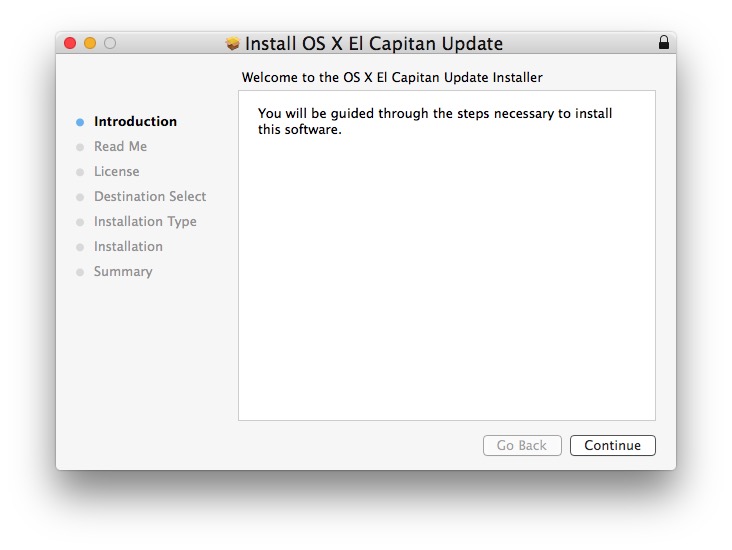
  7. Run through the package installer or update as usual
  8. Package runs successfully

The package installer should now work.

Thursday, 16 June 2022

How to fix the arrow keys not working in Microsoft Teams.

I honestly cannot believe how garbage Microsoft Teams actually is.

  1. You can't add words to the dictionary? Seriously?
  2. It's a major resource hog (Requires a top end PC to work, else use Teams and nothing else at the same time)
  3. The arrow keys randomly stop working,
  4. No animated background in video calls (OK, not a deal breaker but close).
  5. Navigation is mess. Trying to find certain meetings, chats, you name it, it's a chore. If you have a choice, use preferably Slack (or Zoom if you must) as they are superior.

Anyway, enough of a rant.

You are here to fix the arrow keys so simple step first, try killing Teams via Task Manager. If that doesn't work then there are many other time-wasting fixes.

Clear the cache, upgrade Teams and of the course, the Windows cure all, reboot.


Wednesday, 25 May 2022

How to fix when GIFS are not displayed in Microsoft Teams

There are many websites that claim to have fixes for when Teams gies not display GIFS. The GIF icon was not displayed in my Windows Program but was displayed in the browser and the mobile app.
None of the fixes worked for me except the following:

In Settings (...) at the top of the Teams client > Privacy , Scroll down to Optional Connected Experiences and turn it on. If it is turned off, it will turn Giphy off and you will not be able to use GIF's

Wednesday, 27 April 2022

How to move the Linux "Home" folder to another partition or drive

Note: The post above was actually copied from a 2013 page here:
https://www.maketecheasier.com/move-home-folder-ubuntu/
A big thank you to the original author.